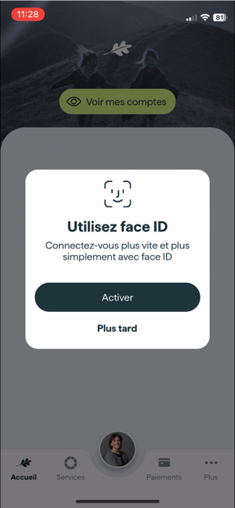
Facial recognition or fingerprint detection can be enabled during the first mobile login to the system (provided that your mobile is equipped accordingly). The system will offer to activate biometric login:
This setting can also be enabled later in the mobile application:
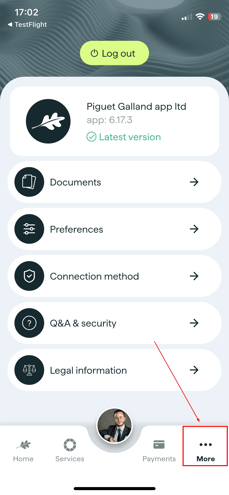
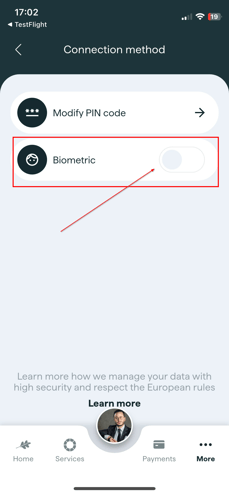
If you activate it, the feature will then be available on the application's login screen.
At the next login, the system will ask if you want to enable quick login via facial recognition or fingerprint detection: